
September 2026
Update
September 2026 Update
What's new...
• UI Refresh
• Redesigned homepage
• New personalization options
• Dark mode
• Your Ticket Details, Modernized
• Refreshed Ticket timeline
• Refreshed People, Queues & Teams
• Simplified ticket grid customization
• Introducing Ask RAI
• Redesigned Admin Panel

September 2026 Update
Revelation’s New Design Language
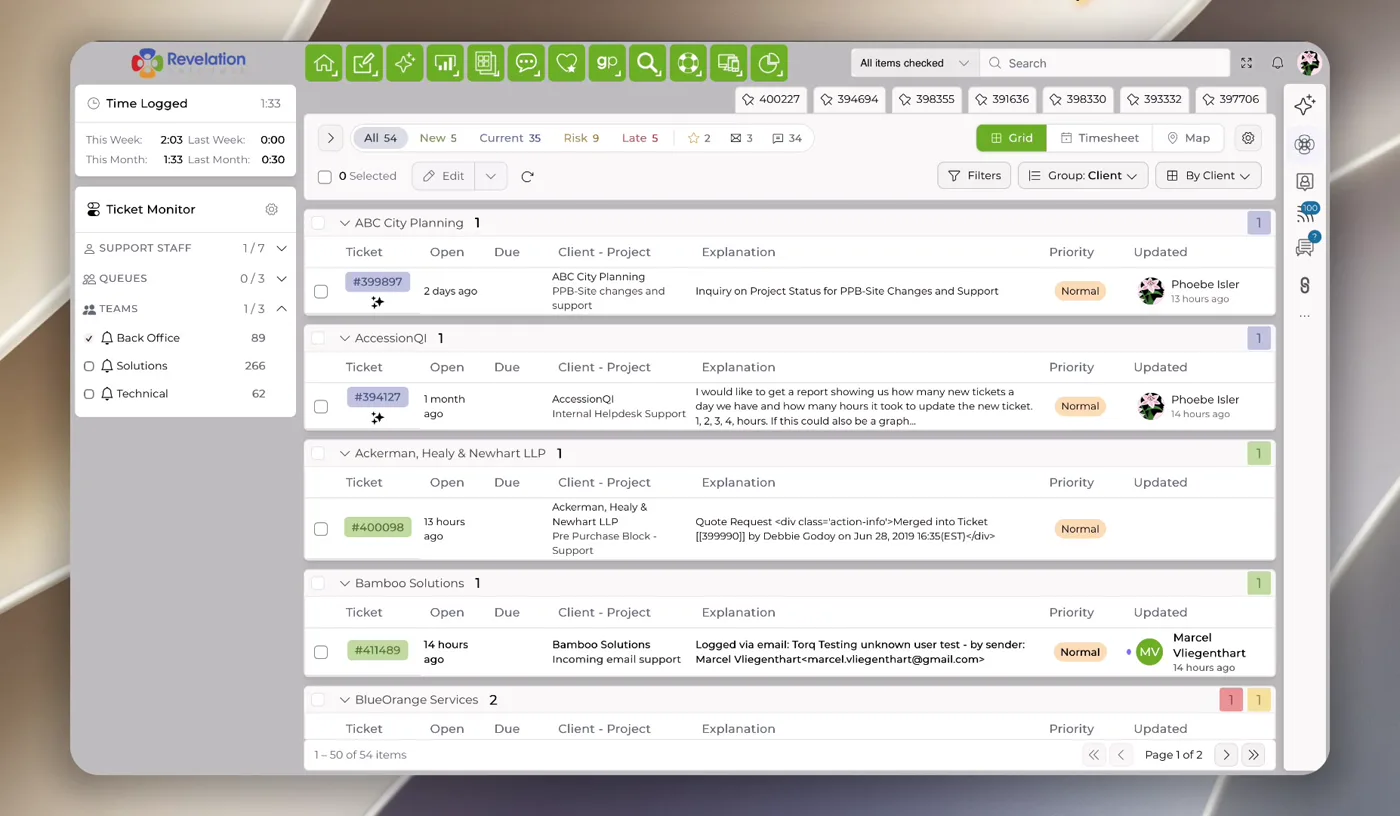
Introducing the first wave of Revelation’s 2027 UI refresh – covering your homepage, ticket details page, and Admin area, this release is a modernized, faster, and more responsive iteration to make your ticket management experience that much more efficient.
September 2026 Update
A New Look for Your Revelation Homepage
Revelation’s redesigned homepage brings your ticket activity, workload and important information together in one modernized, streamlined view.
Quickly review ticket counts, filter by support staff, queues or teams, and adjust your workspace to focus on what matters most.
September 2026 Update
Revelation’s New Design Language
September 2026 Update
Mobile
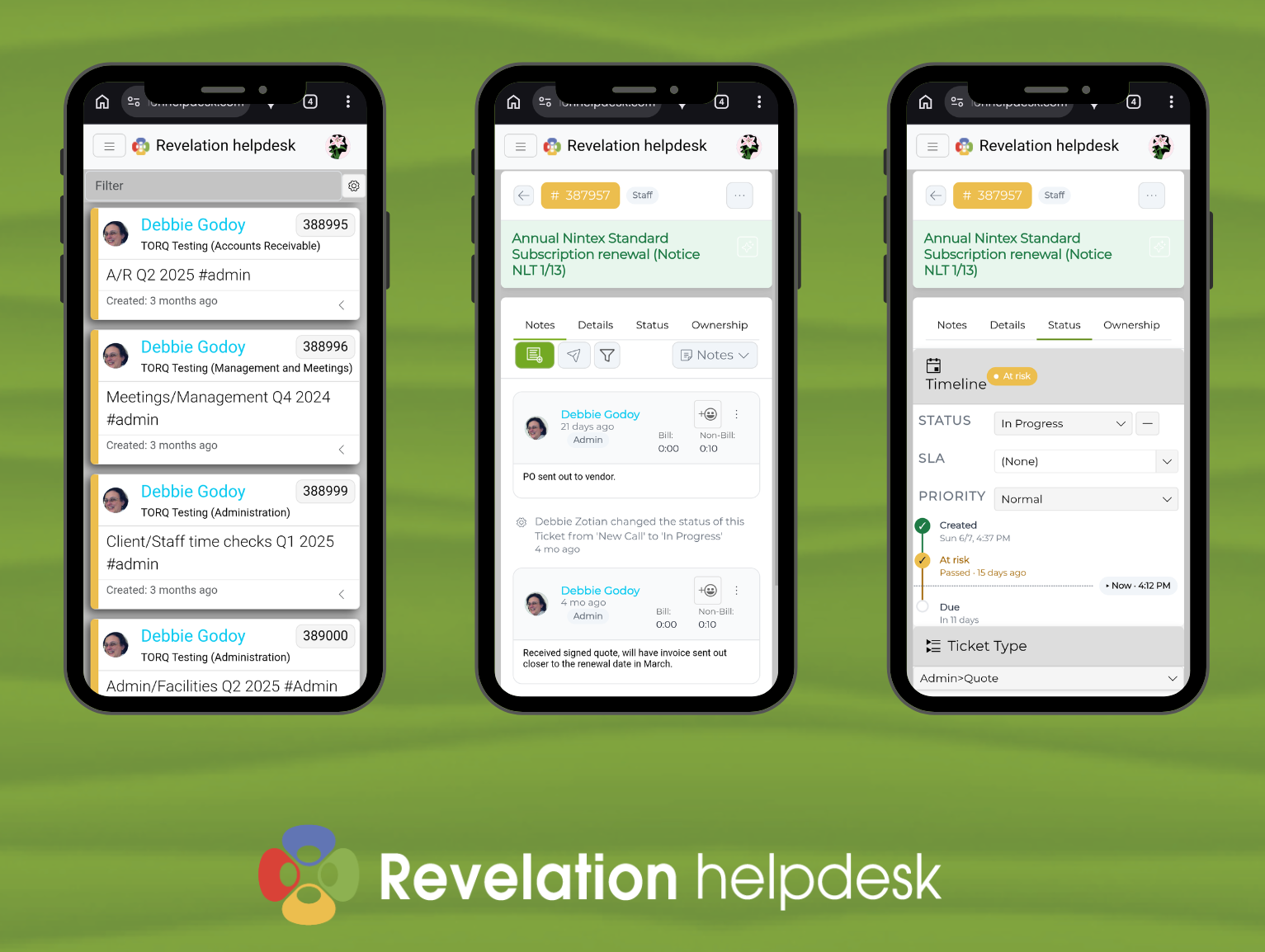
All Revelation 2027 features are also available to use in your mobile browser for whenever you’re using Revelation on the go.
September 2026 Update
Mobile
September 2026 Update
Personalization Options
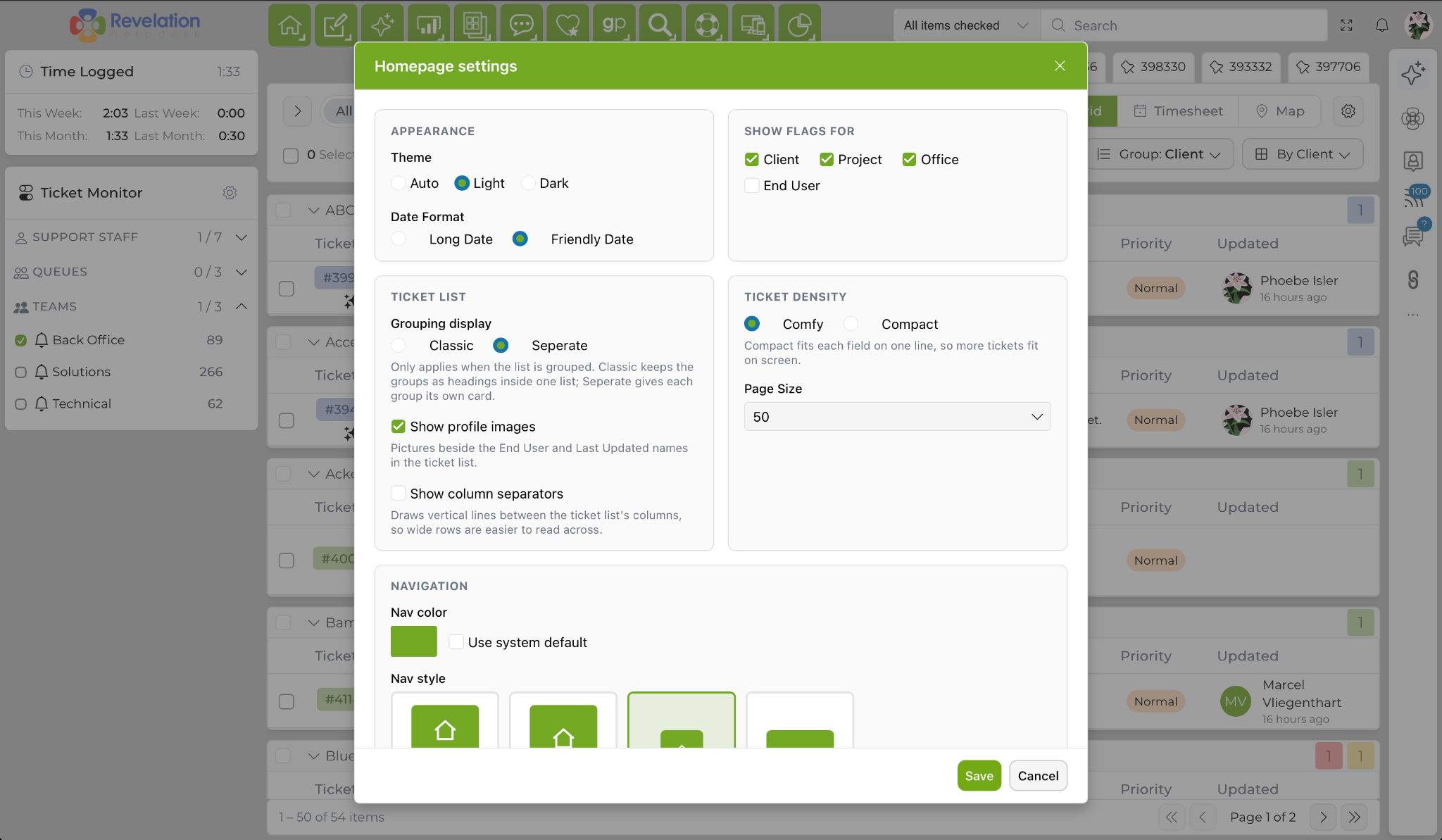
Choose how Revelation looks and feels with Light, Dark or Automatic appearance settings.
You can also adjust spacing, ticket grouping, date formats and other display preferences to create a workspace that fits the way you work.
September 2026 Update
Personalization Options
September 2026 Update
Dark Mode
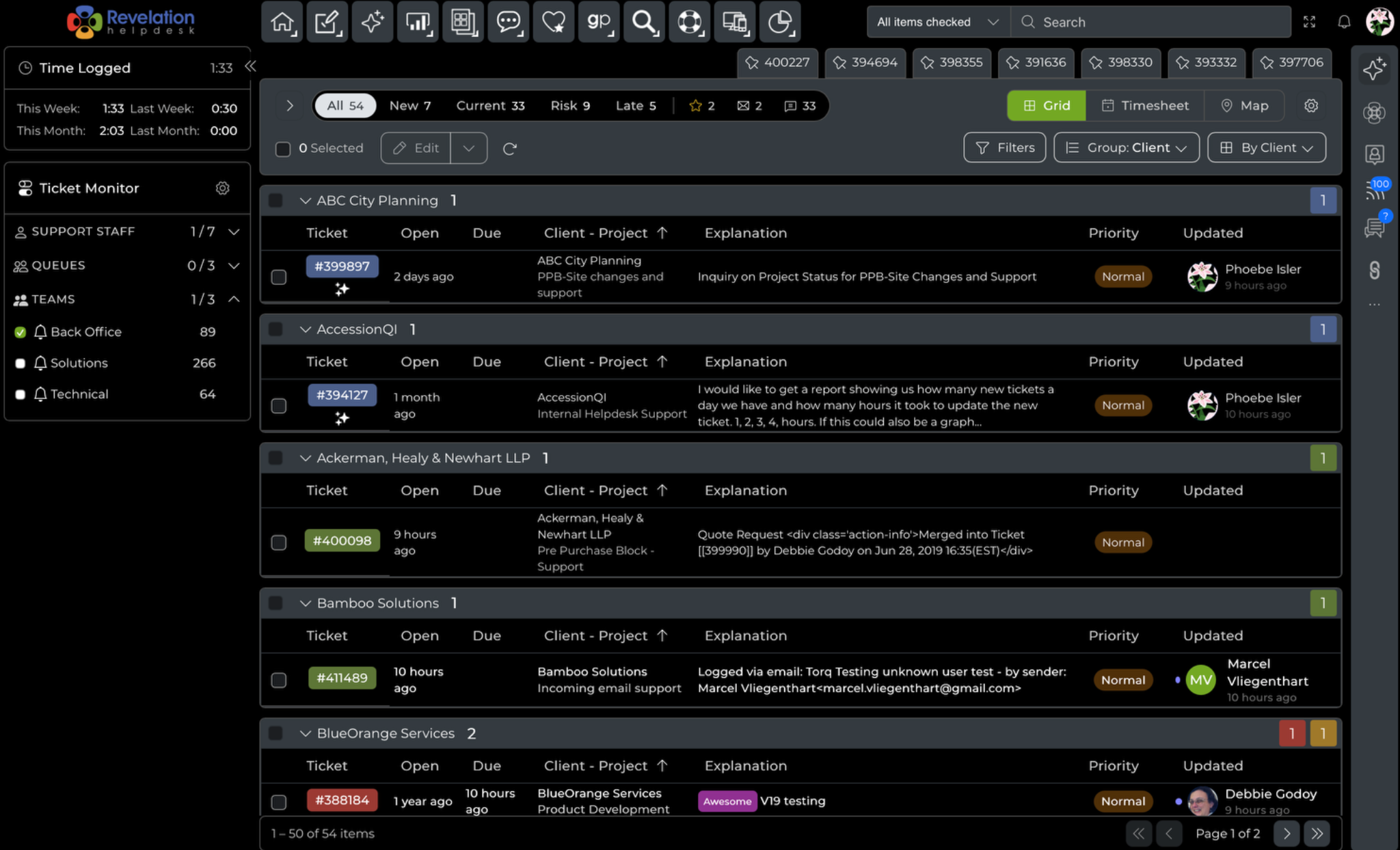
You can now use Revelation in Dark Mode.
September 2026 Update
Dark Mode
September 2026 Update
Your Ticket Details, Modernized
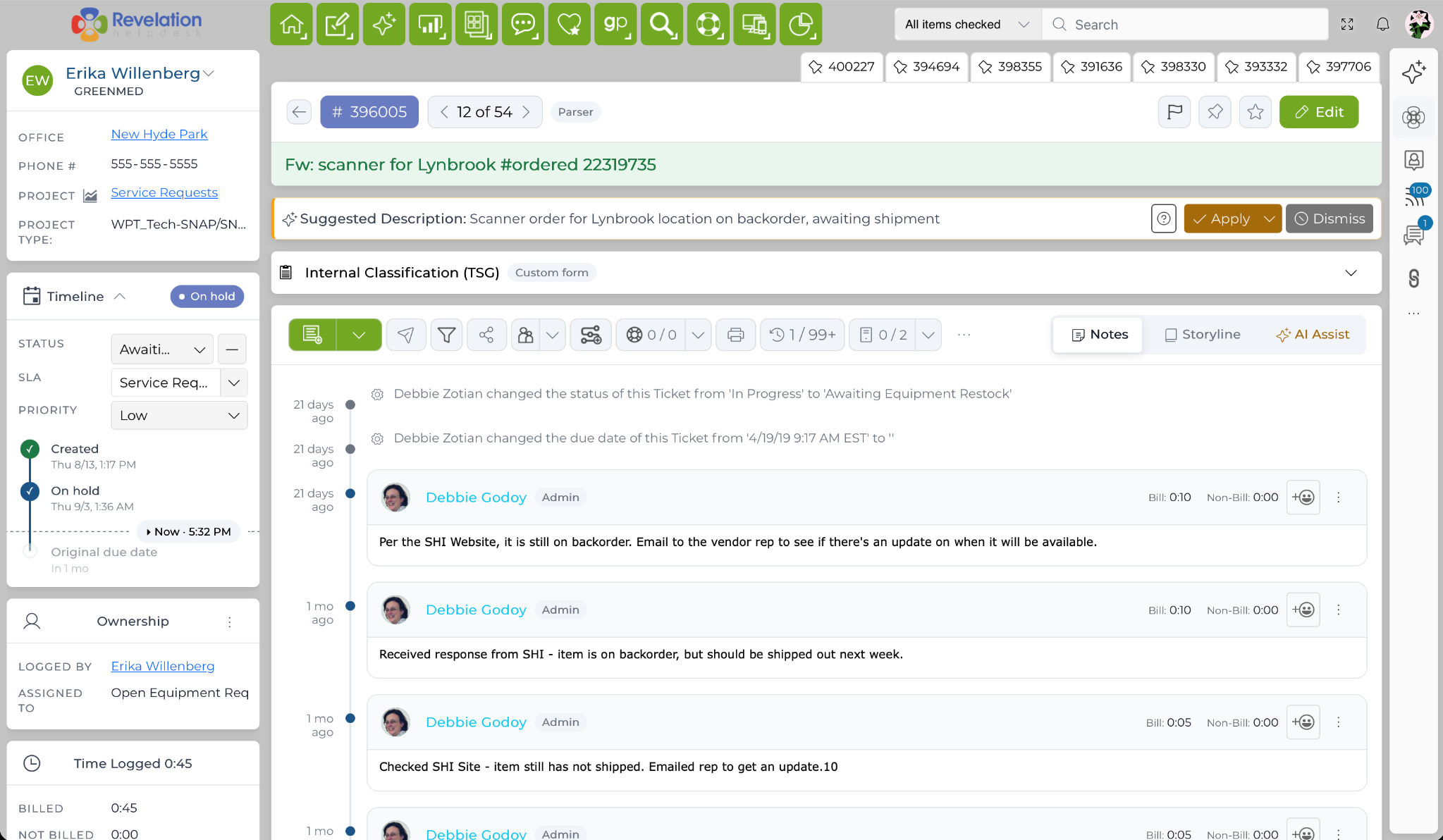
Revelation’s familiar Ticket Details page has been refreshed to make navigating tickets and accessing the tools you use every day easier.
The latest update to Ticket Details keeps your ticket information streamlined, with key actions like Edit, Notes, Storyline, Pinned Tickets, and Ask RAI within easy reach.
September 2026 Update
Your Ticket Details, Modernized
September 2026 Update
Ticket Timeline Refresh
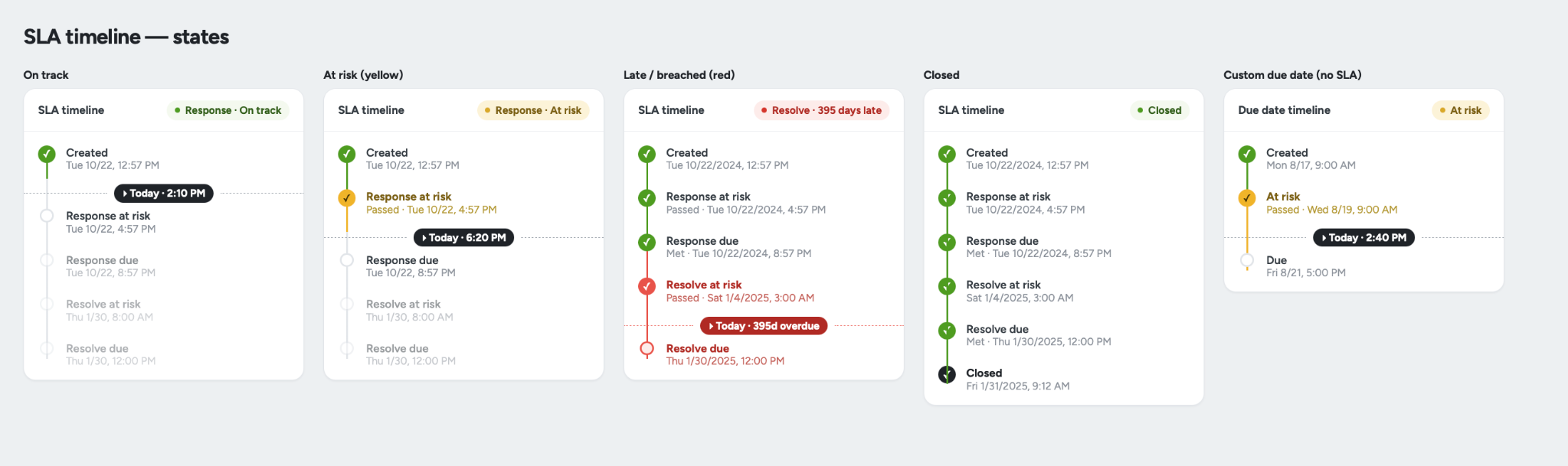
The updated ticket timeline gives you a clearer view of each stage of a ticket’s timeline, from creation and response through resolution and closure.
Color-coded milestones make it easier to see what is on track, approaching risk or overdue.
September 2026 Update
Ticket Timeline Refresh
September 2026 Update
People, Queues & Teams
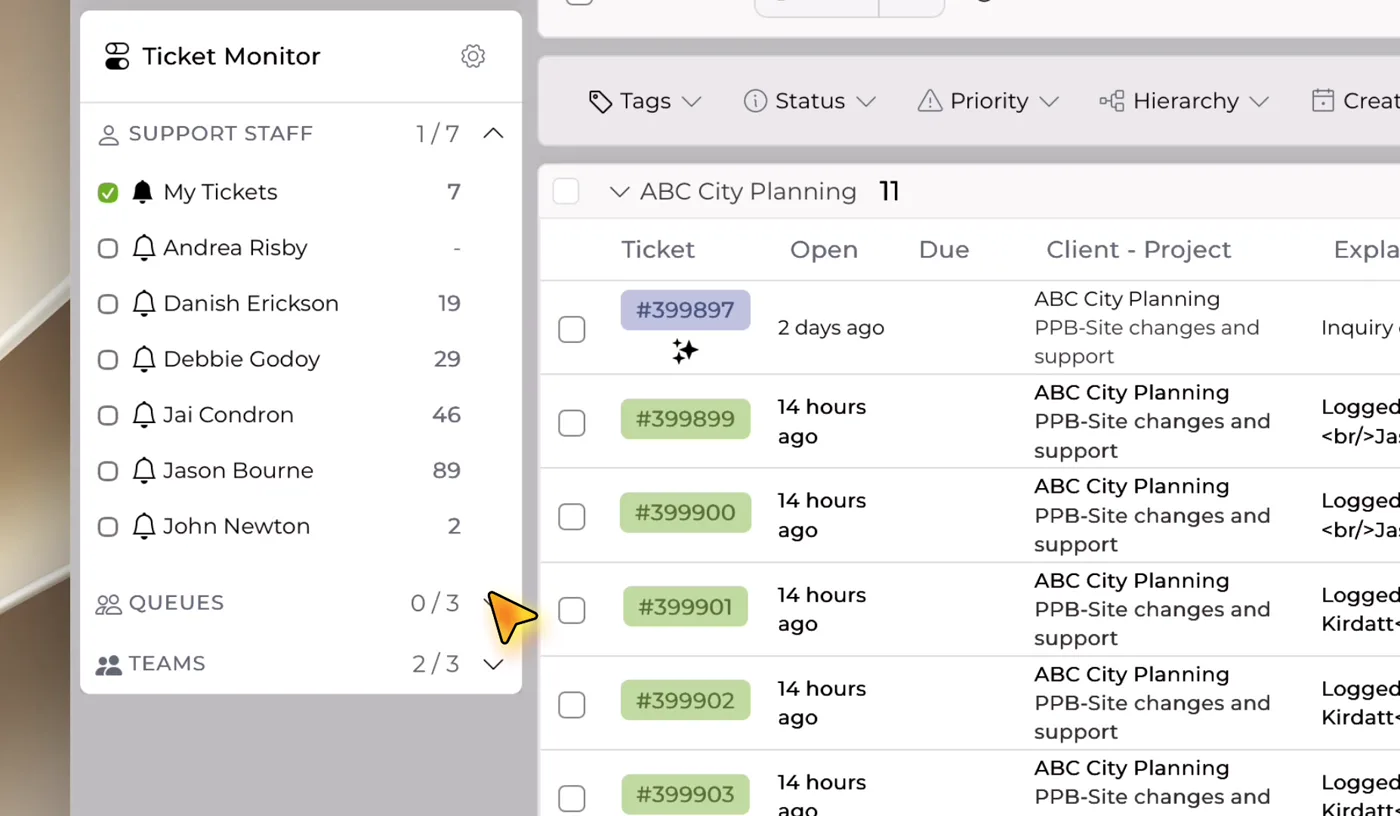
Monitoring your tickets across users, queues, and teams is now faster and automatically refreshes.
September 2026 Update
People, Queues & Teams
September 2026 Update
Customize Your Grid View
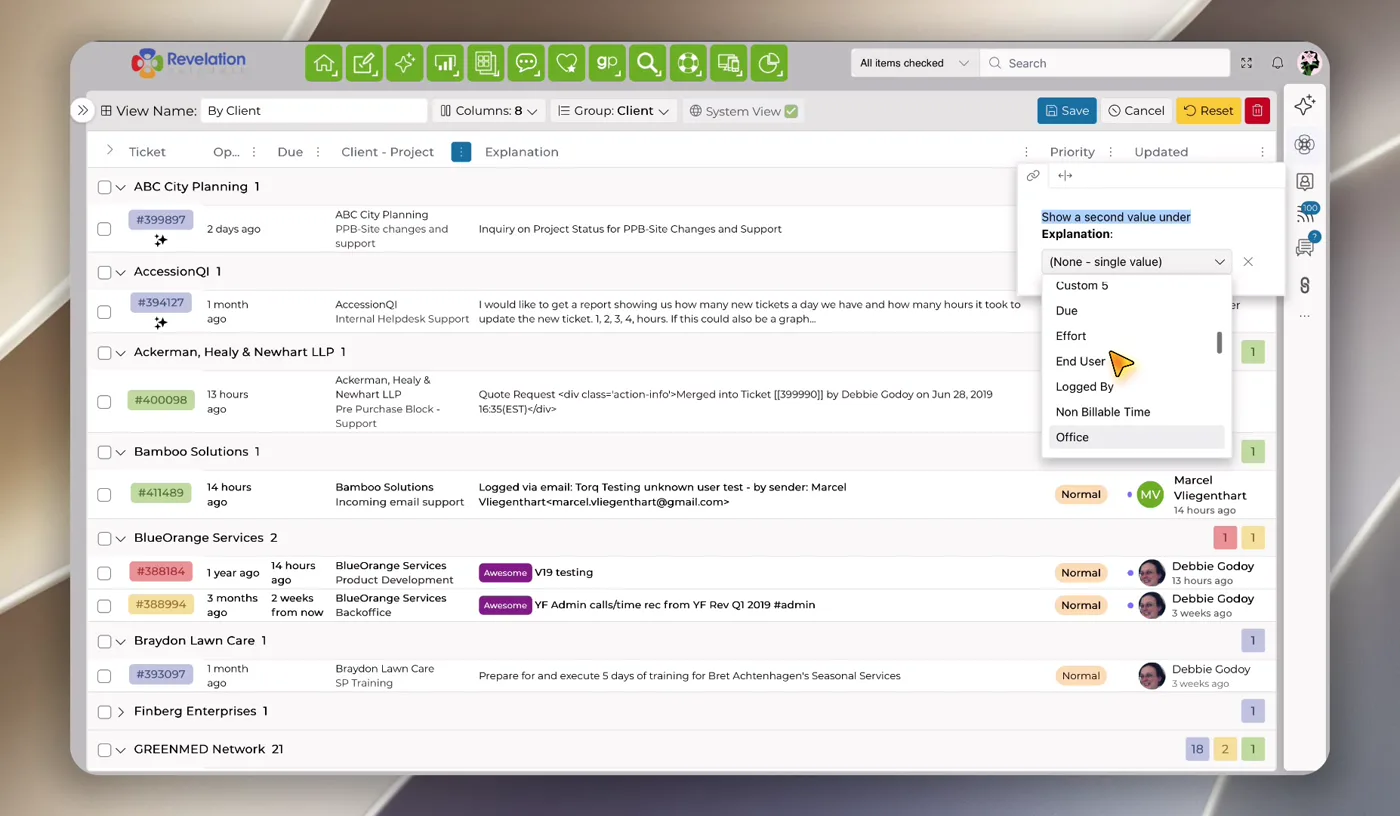
Revelation’s ticket grid controls have been redesigned to make customizing what you see simpler and more intuitive.
Easily add, remove and reorder columns, adjust the information displayed and save the view that works best for you.
September 2026 Update
Customize Your Ticket Grid
September 2026 Update
Introducing Ask RAI
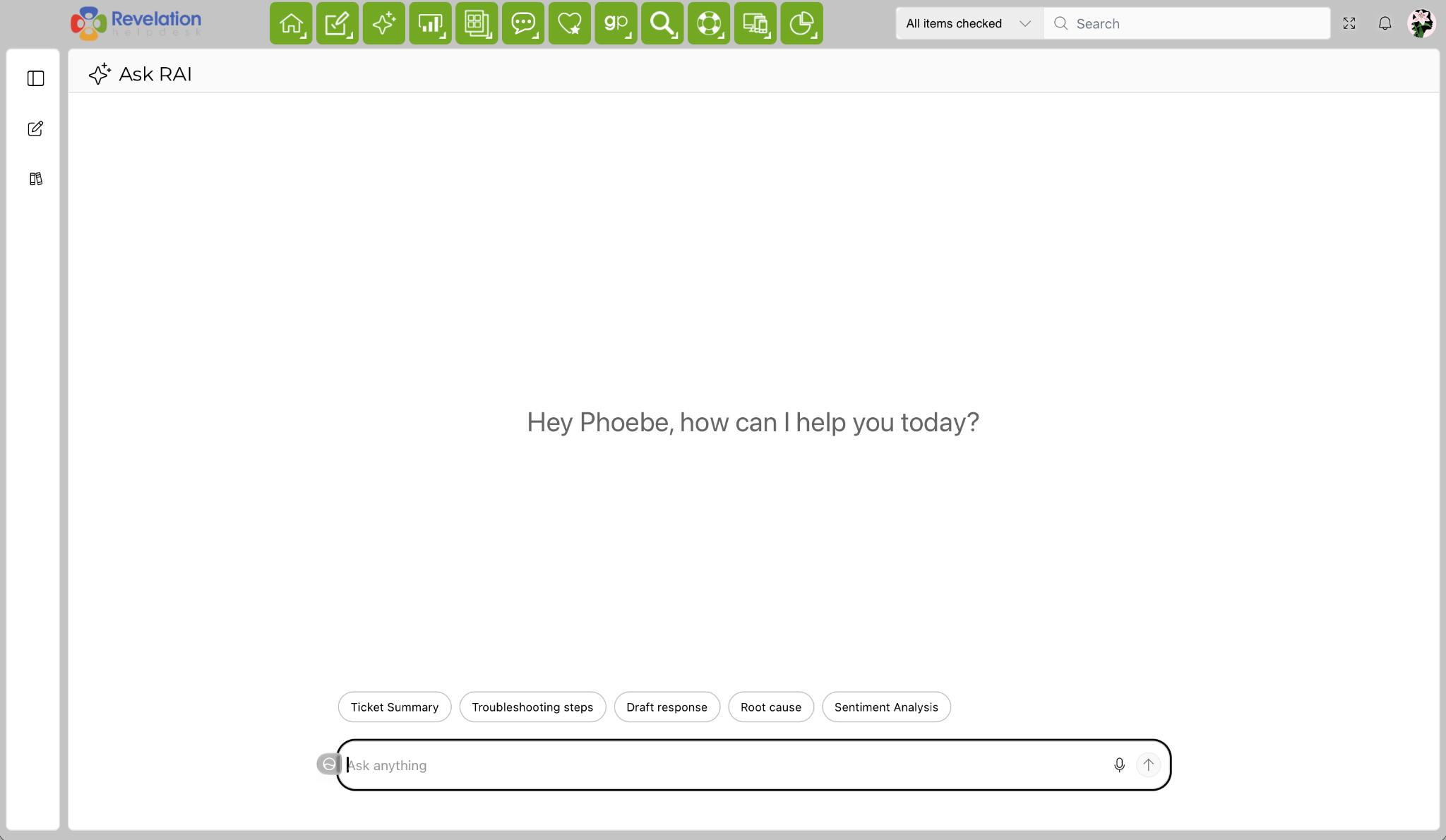
Joining AI Edit, AI Assist, and AI Suggest, Ask RAI is Revelation’s newest AI feature that works across your instance. You can use Ask RAI to answer any questions about Revelation without being tied to a single ticket.
Use Ask RAI along with your other Revelation AI tools to summarize tickets, suggest troubleshooting steps, identify possible root causes, analyze sentiment and help draft responses.
September 2026 Update
Introducing Ask RAI
September 2026 Update
Redesigned Admin Panel
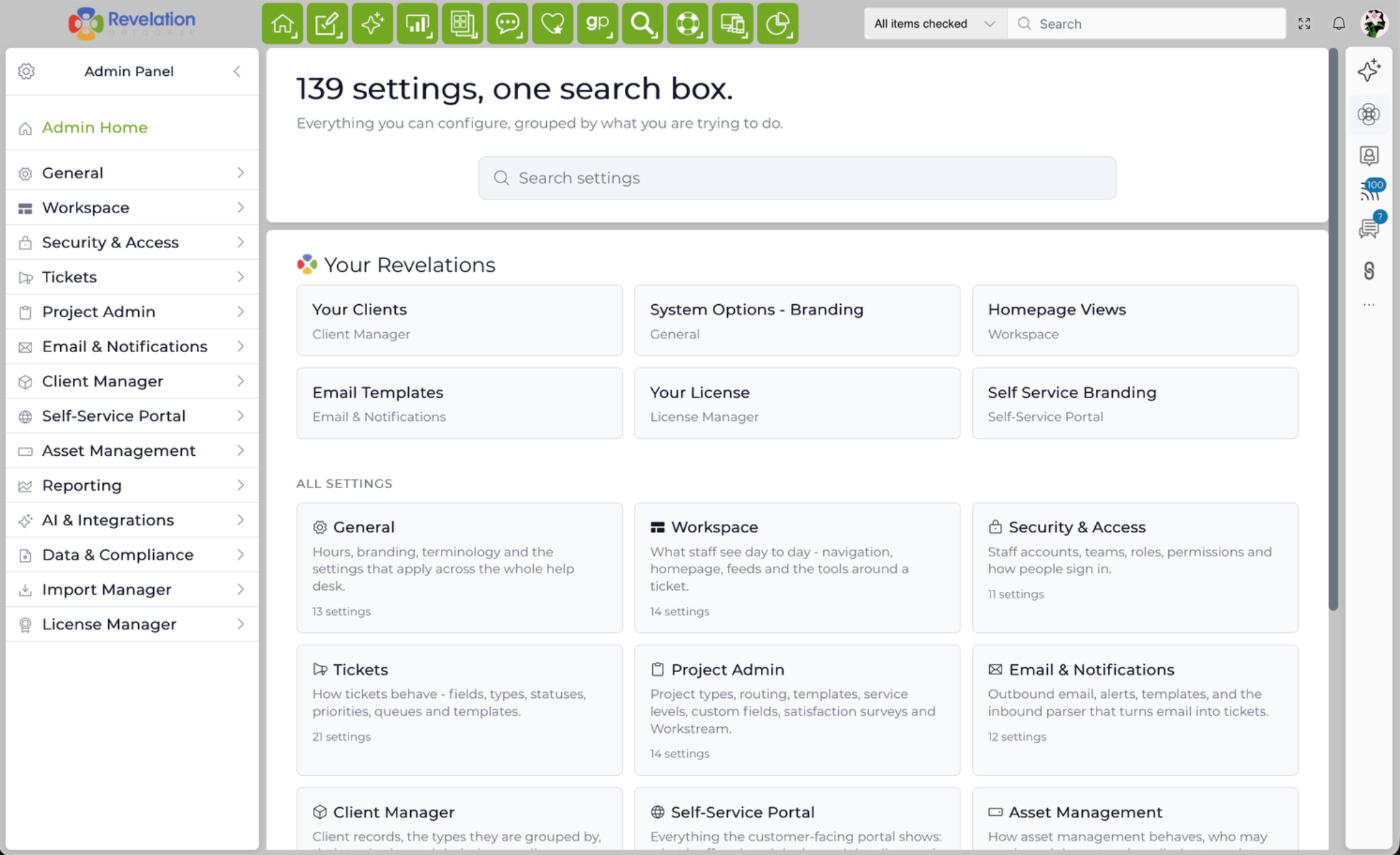
The redesigned Admin Panel makes Revelation settings easier to find and manage.
Search across settings using everyday language, jump directly to matching options, save favorites and browse clearer task-based categories.
September 2026 Update
Redesigned Admin Panel
Stay tuned for more updates coming your way.
You can read more about these great
new features in the "What's New" section of our help guide