
June 2025
Update
June 2025 Update
What's new...
• Ticket Details Refresh
• New Mobile Web App
• Improved Filtering
• Improved Ticket Referencing
• Refreshed Storyline
• Messages is now Notifications
• Improved Personalization
• Knowledge Base Links

June 2025 Update
Ticket Details Refresh
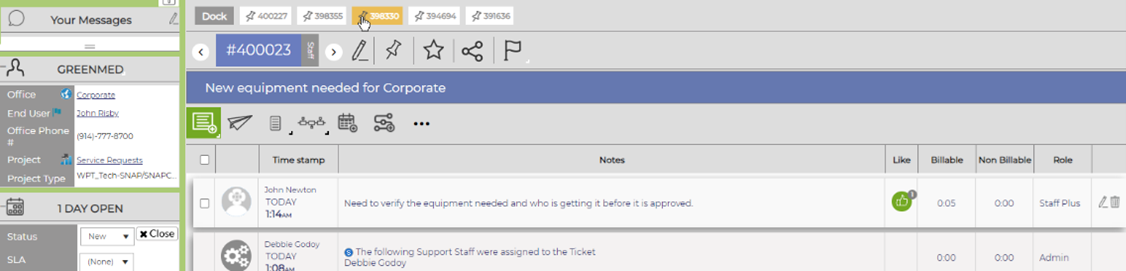
The next phase of Revelation’s ongoing UI refresh is here. With this update, our aim was to create a more efficient user experience. While similar to the classic look, we have optimized the interface, making it more efficient and intuitive.
June 2025 Update
New Mobile Web App
Old
June 2025 Update
New Mobile Web App
New
June 2025 Update
New Mobile Web App

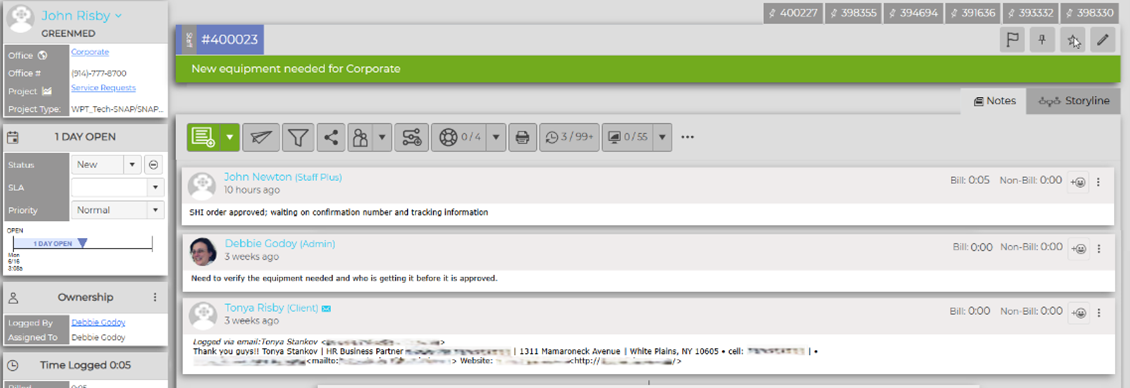
Revelation’s new Mobile Web App is optimized for your team and your end users and replaces the legacy iOS/Google Store ticket app.
Log a ticket, see your open tickets, jump to a specific ticket, and work on your tickets, from any mobile device.
June 2025 Update
Improved Ticket Referencing
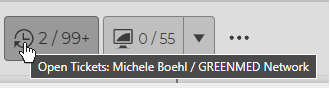
Revelation’s Related Tickets feature lets users to see a snapshot of existing tickets associated with the end user and the company – with just the click of a button.
June 2025 Update
Refreshed Storyline
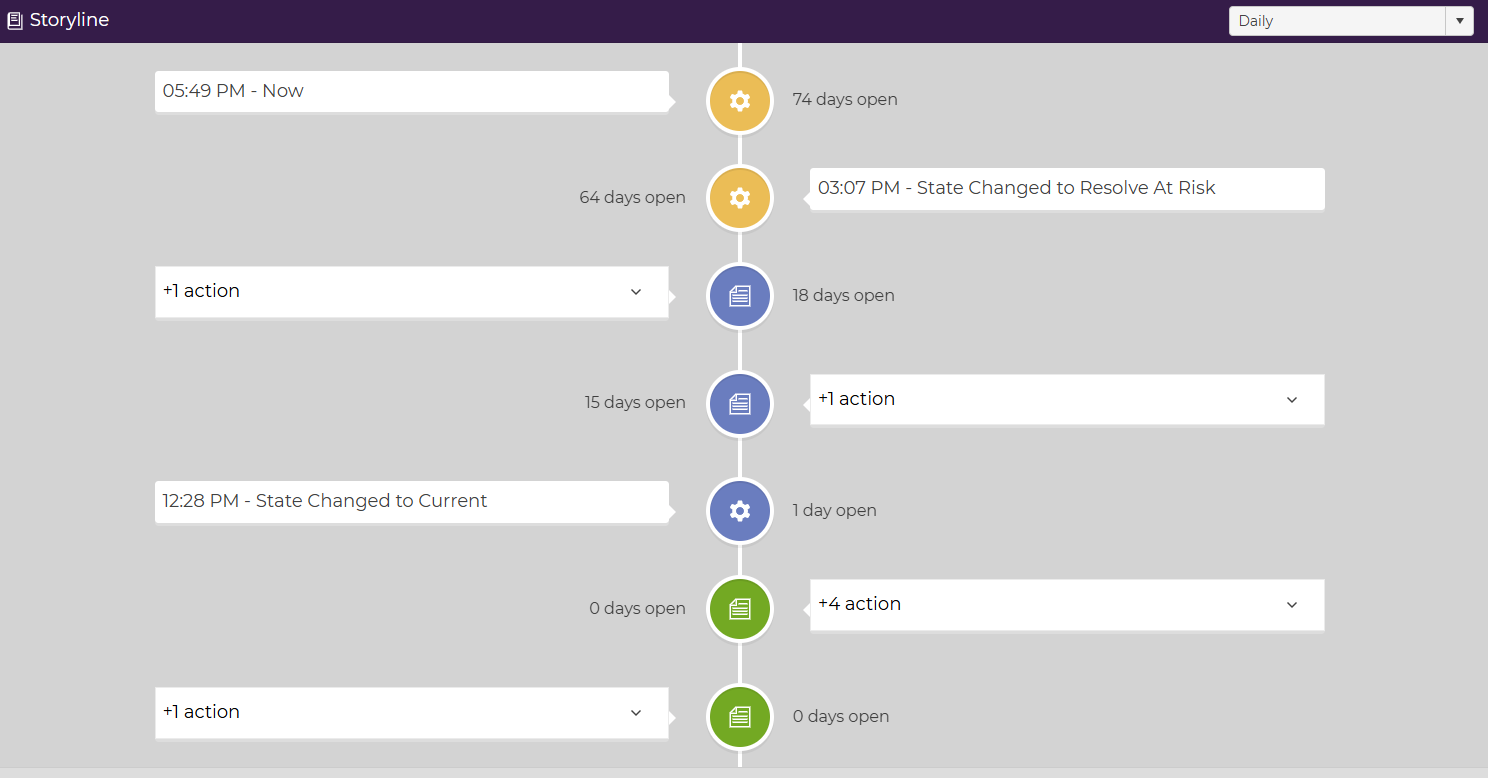
The updated ticket storyline feature lets users take a thousand-foot view of a ticket’s daily and hourly actions.
June 2025 Update
Refreshed Storyline
June 2025 Update
Messages is now Notifications
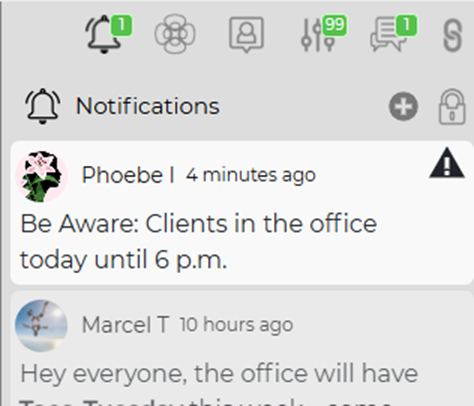
Messages has moved and is now Notifications. All @-tags, alerts, and other notices will now appear in the right-side toolbar and are visible across the product.
June 2025 Update
Improved Personalization
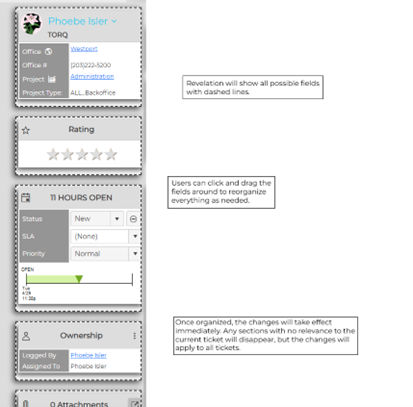
You can now reorganize your Ticket Details Sidebar.
June 2025 Update
Improved Personalization
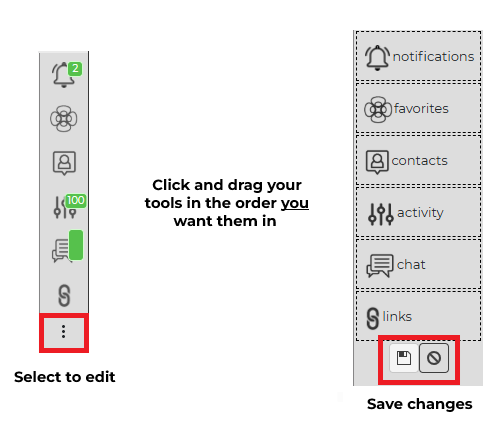
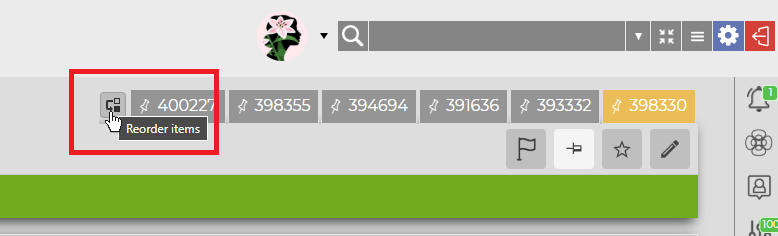
Your Right Column Tools have been refreshed, and you can now re-order tickets in your Pin Dock.
June 2025 Update
New Mobile Web App
June 2025 Update
Knowledge Base Links
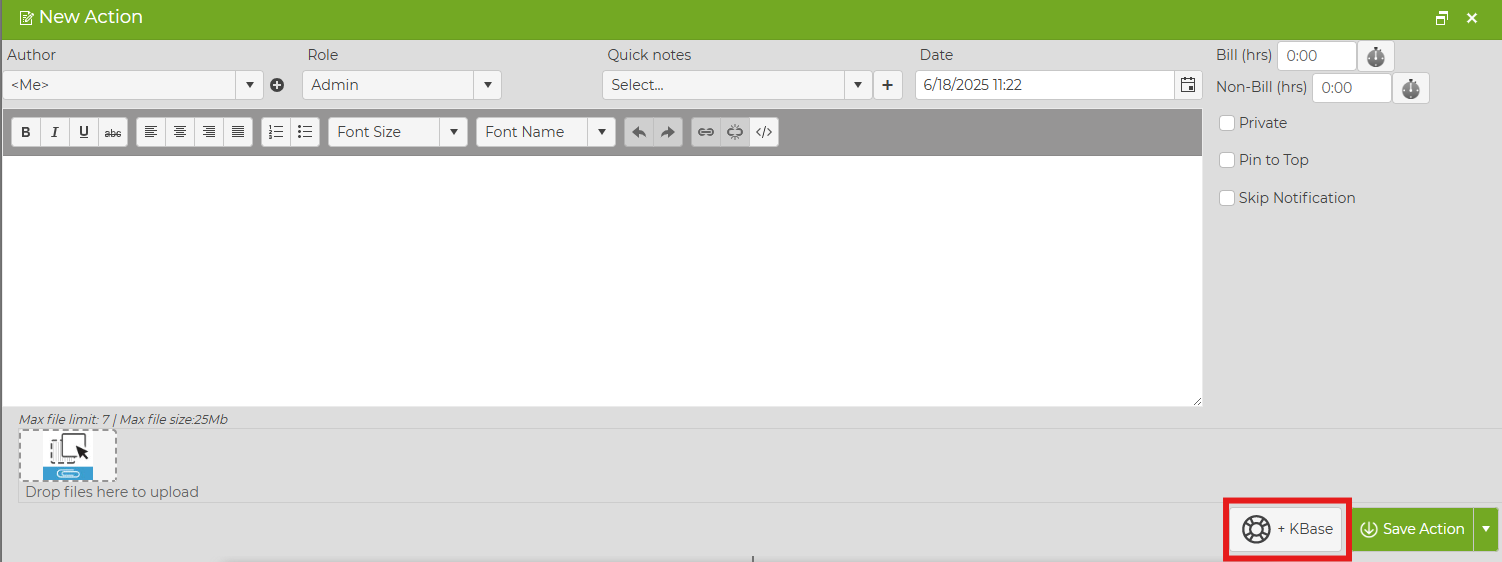
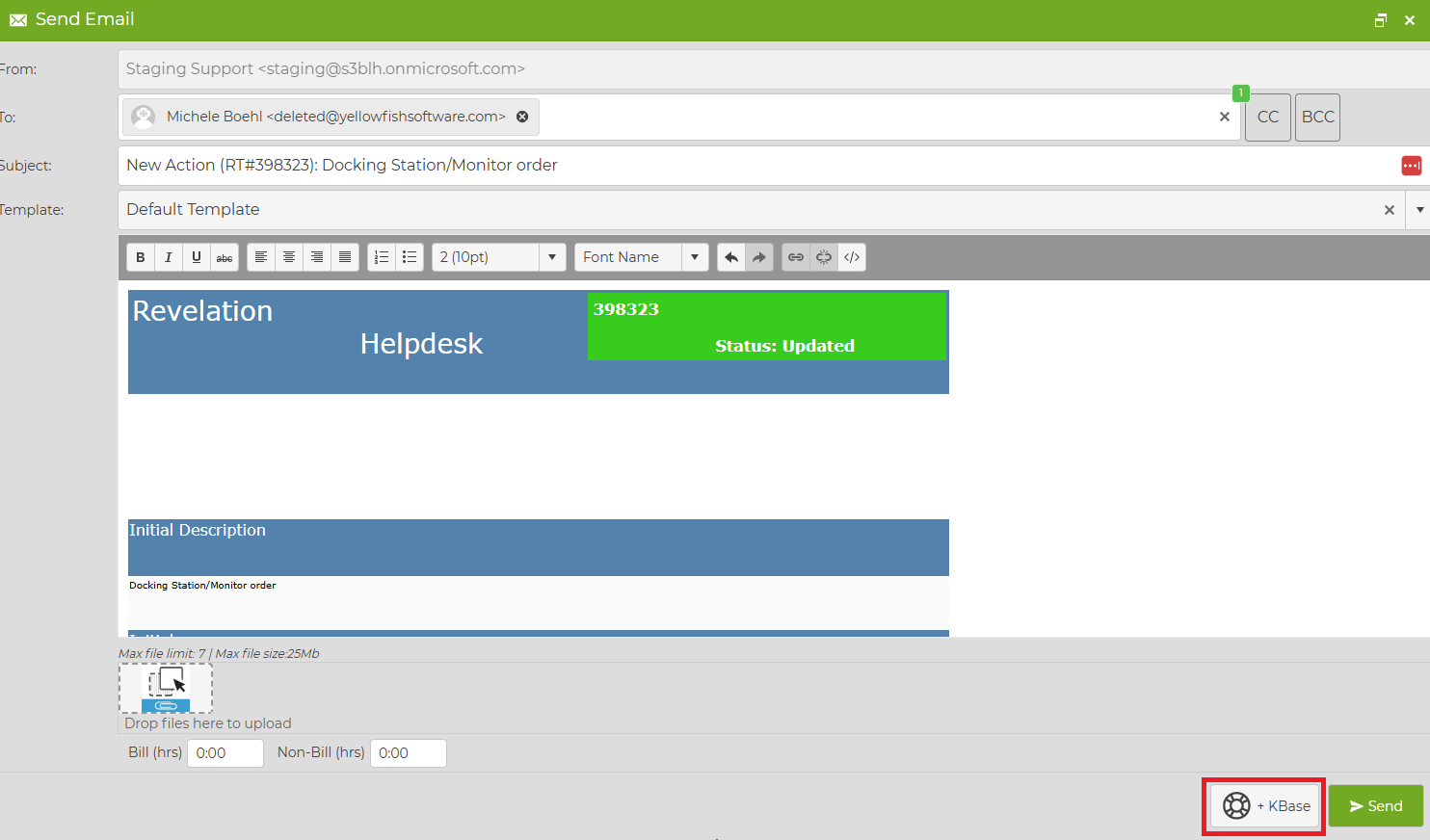
As part of this update, users can not only add a knowledge base article to their ticket: they can link right to it from an action note and from an email.
Stay tuned for more updates coming your way.
You can read more about these great
new features in the "What's New" section of our help guide