
March 2022
Update
March 2022 Update
What's new...
• Ability to "Like" Action Notes
• Updates to Home Page Context Menu
• Auto Reminders
• Ticket Hierarchy Enhancements
• Power Automate Connector
• Email Parser Updates

March 2022 Update
Ability to "Like" Action Notes
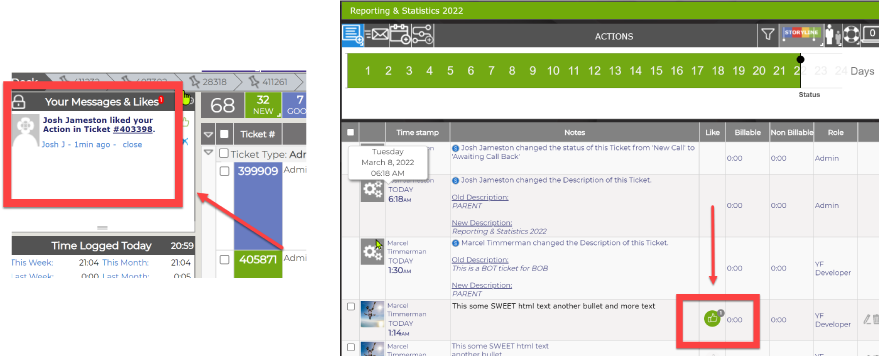
You now have the ability to "like" an action note. The author of the action note will be alerted in the Messages & Likes area or by email based on your settings.
March 2022 Update
Ability to "Like" Action Notes
March 2022 Update
Updates to Home Page Context Menu
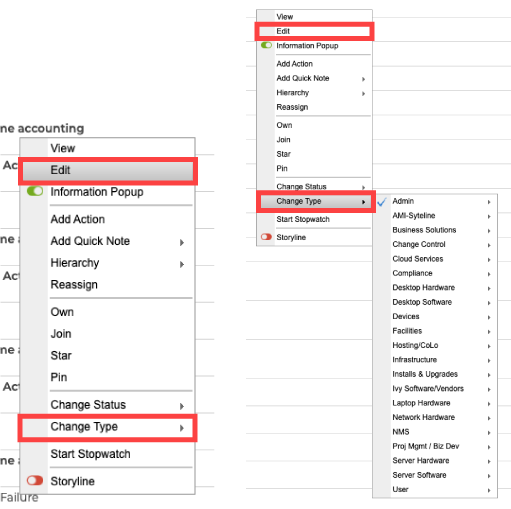
You can now edit a ticket directly from the homepage.
You can now update the ticket type with our new flyout control that has been implemented system wide.
March 2022 Update
Updates to Home Page Context Menu
March 2022 Update
Auto Reminders
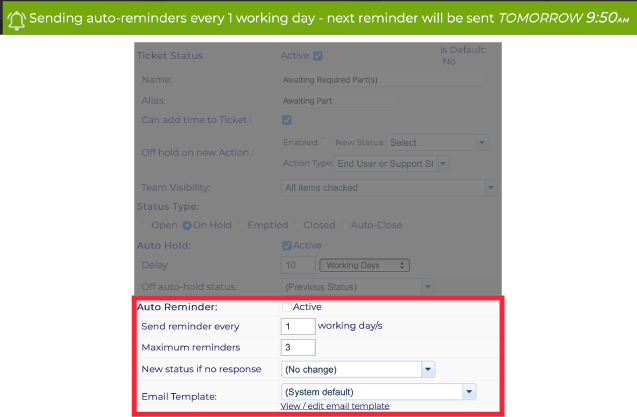
You can now tie an auto-reminder to any ticket, based on its status. This feature uses the existing email template feature.
You can select the reminder intervals and number of reminders you want to send.
March 2022 Update
Auto Reminders
March 2022 Update
Ticket Hierarchy Enhancements
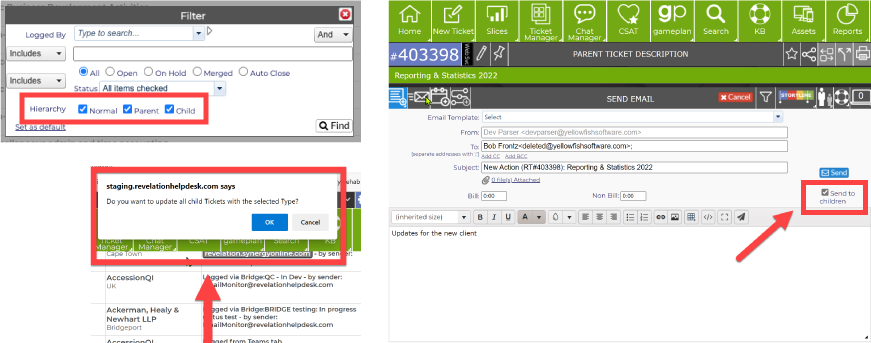
We have added enhanced functionality to Ticket Hierarchy feature set.
You will now be prompted to cascade changes made to Parent tickets, across all associated Child Tickets. This includes updates to ticket status, ticket type, and ticket priority.
You now have the ability to send an
email from a Parent Ticket to all attached Child tickets.
We have also added a new homepage filter to quickly filter tickets that are normal, parent, child, or by any combination.
March 2022 Update
Ticket Hierarchy Enhancements

March 2022 Update
Power Automate Connector
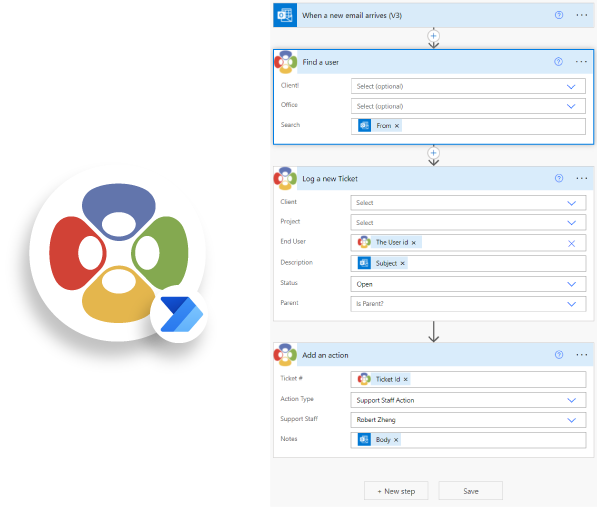
Introducing our latest Microsoft 365 Connector; enabling further automation between Microsoft 365 & Revelation helpdesk. Using the new connector, you can create automations within
Revelation based on external event triggers and vice versa.
March 2022 Update
Power Automate Connector
March 2022 Update
Email Parser Updates
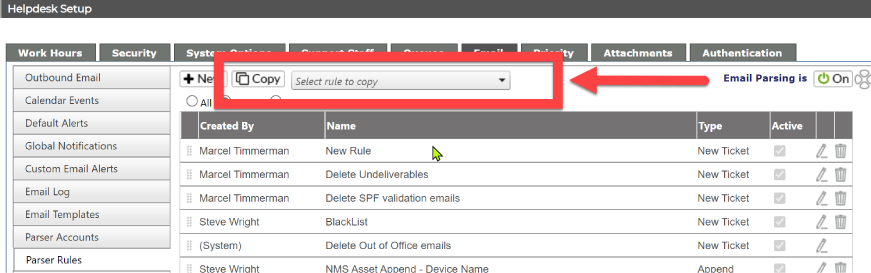
When creating new parsing rules you can now copy an existing rule, and make edits or adjustments as needed.
You can now configure your instance to add original emails that come thru the parser as attachments against
your tickets.
March 2022 Update
Email Parser Updates
Stay tuned for more updates coming your way.
You can read more about these great
new features in the "What's New" section of our help guide