
November
2020 Update
November 2020 Update
What's new...

Teams App - New Features
Power BI App
November 2020 Update
Teams App - Tabs

November 2020 Update
Teams App - Tabs
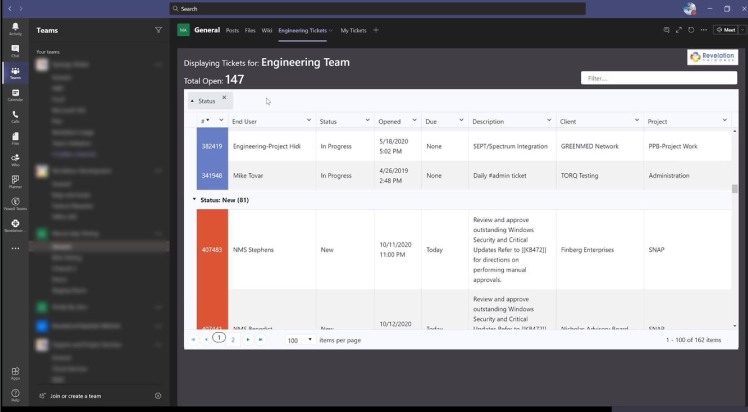
The Revelation helpdesk Tab allows your support staff to setup filtered ticket view of Revelation data in Microsoft Teams.
You can select which of your open tickets you want to be displayed based on filters; with the option to view "My Tickets" exclusively, or the entirety of tickets that you have access to.
Different tabs can be added to multiple teams.
November 2020 Update
Teams App - Tabs
November 2020 Update
Teams App - Tabs
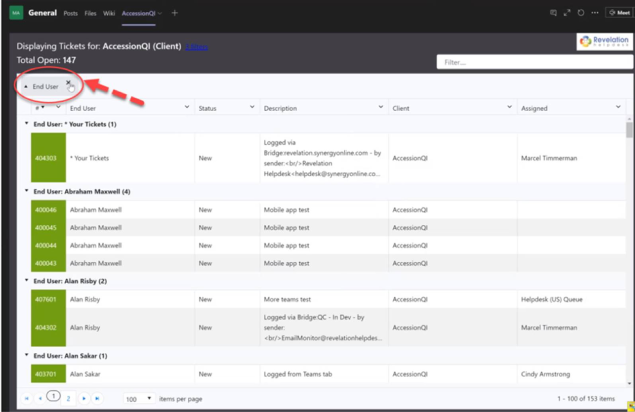
Select as many filters for tickets in Tabs as you’d like , ranging from Status, Priority or State of the tickets.
You can also further filter by Teams, By Queues, by Clients, or by Projects.
It’s never been easier to monitor your Revelation helpdesk tickets in real time.
November 2020 Update
Teams App - Tabs
November 2020 Update
Teams App - Notifications
November 2020 Update
Teams App - Notifications
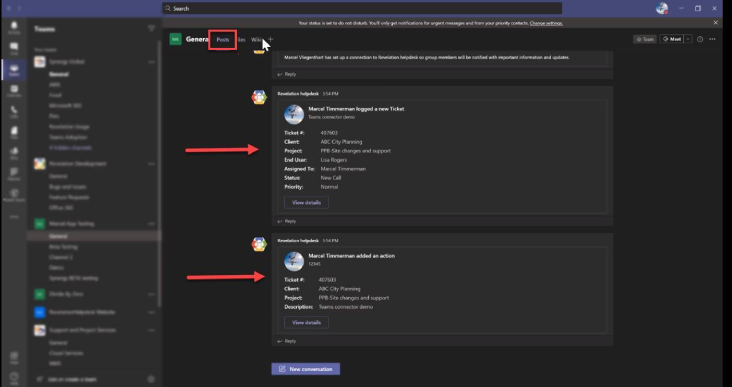
You can now get instant notifications on ticket activity from Revelation helpdesk, from teams.
Your Revelation helpdesk ticket activity, based upon the selection of filters you applied to that connector, will post notifications in the channel's Posts section.
November 2020 Update
Teams App - Notifications
November 2020 Update
Introducing - The Revelation Power BI App
November 2020 Update
Power BI App
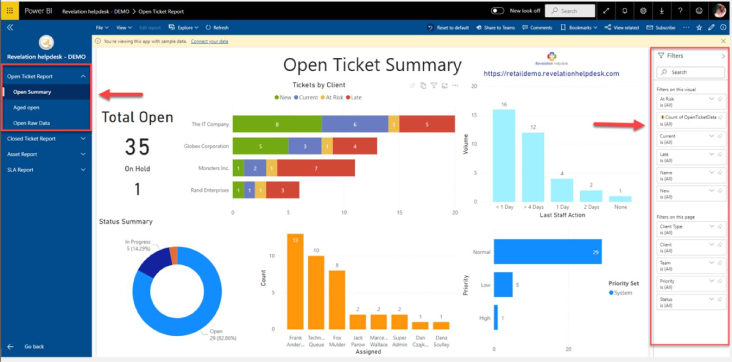
The Revelation helpdesk Power BI App allows you to build your own visualizations and reports within Power BI.
Connect your data to create reports and dashboards with colorful visuals to analyze, monitor, and explore your Revelation helpdesk data.
November 2020 Update
Power BI App
November 2020 Update
Power BI App
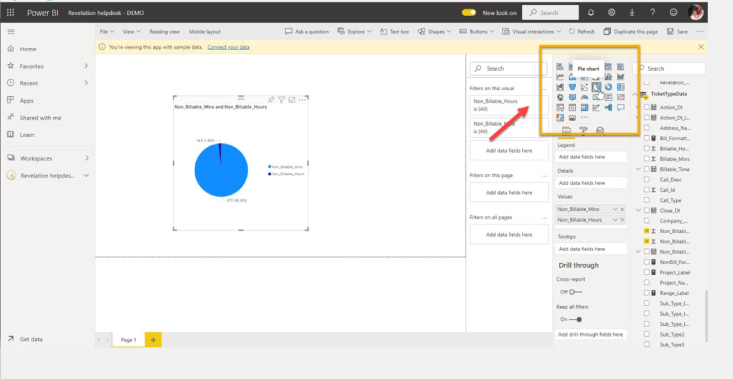
With the Power BI App, create custom reports using your Revelation helpdesk raw data. First, choose from a variety of visuals to show your data. Then, apply as many (or as few) filters to customize your visual.
November 2020 Update
power BI App
November 2020 Update
Power BI App
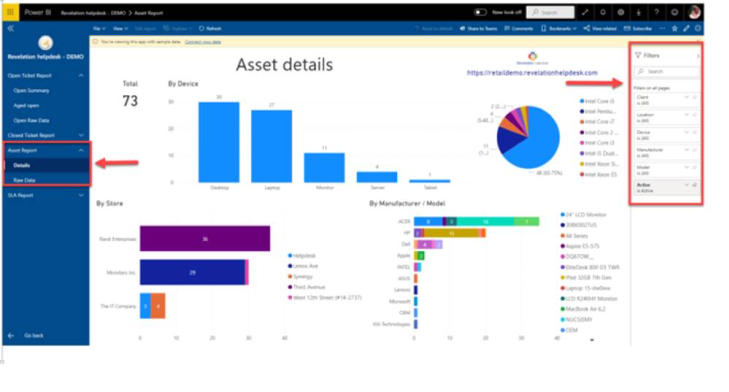
The Power BI App also provides Sample Reports (such as Open/Closed Ticket Reports, Asset Report, and SLA Report) if you’d rather connect your data and have a quick & seamless way to visualize & monitor.
November 2020 Update
power BI App
Stay tuned for more updates coming your way.
You can read more about these great
new features in our help guide