
August 2020
Update
August 2020 Update
What's new...

Live Tickets View

Chat 2.0
August 2020 Update
Live Tickets View

August 2020 Update
Live Tickets View
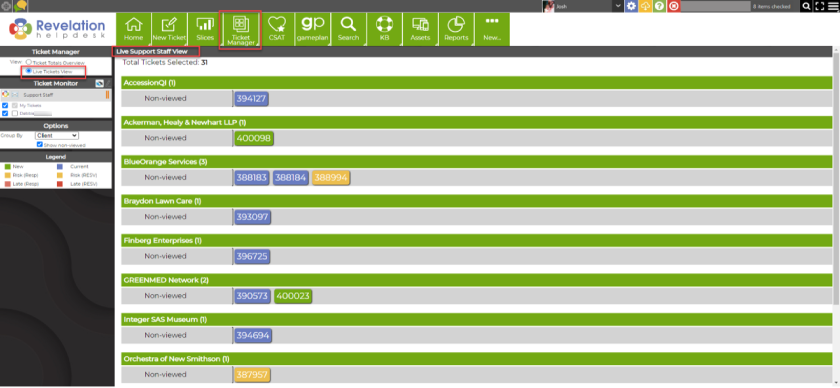
Live Tickets View (found in Ticket Manager) allows you to see what tickets are currently being worked in real-time.
August 2020 Update
Live Tickets View
August 2020 Update
Live Tickets View
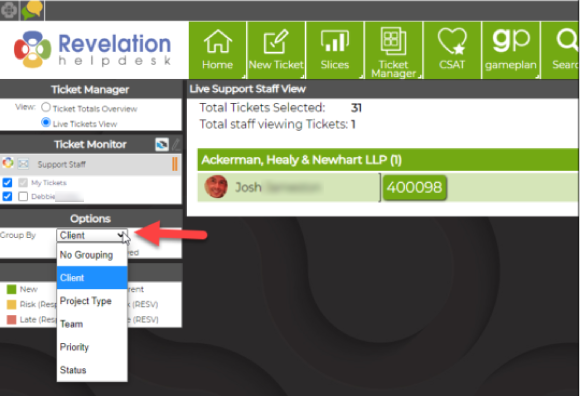
Under Options, you may choose how you’d prefer to group the tickets to view.
August 2020 Update
Live Tickets View
August 2020 Update
Live Tickets View
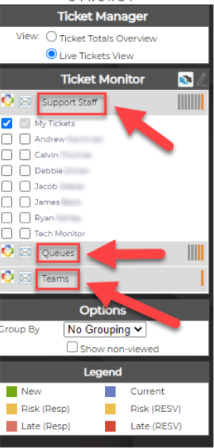
You can arrange the ticket view by Support Staff, Queues, or Teams. Above the tickets displayed, it will indicate a number of Total Tickets Selected by your Ticket Monitor settings; and total number of staff currently viewing Tickets.
August 2020 Update
Live Tickets View
August 2020 Update
Live Tickets View
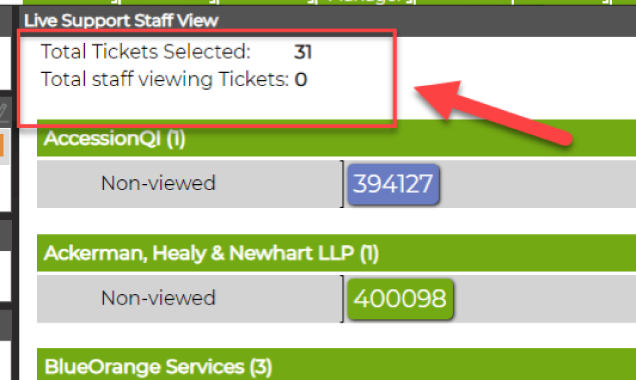
Above the tickets displayed, it will indicate a number of Total Tickets Selected by your Ticket Monitor settings; and total number of staff currently viewing those selected tickets.
August 2020 Update
Live Tickets View
August 2020 Update
Live Tickets View
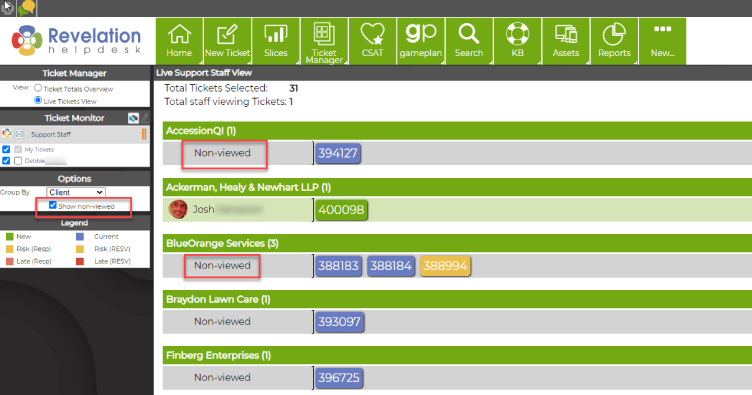
You may also select Show non-viewed; which will display tickets in your ticket monitor not currently being viewed/worked on.
August 2020 Update
Live Tickets View
August 2020 Update
Live Tickets View
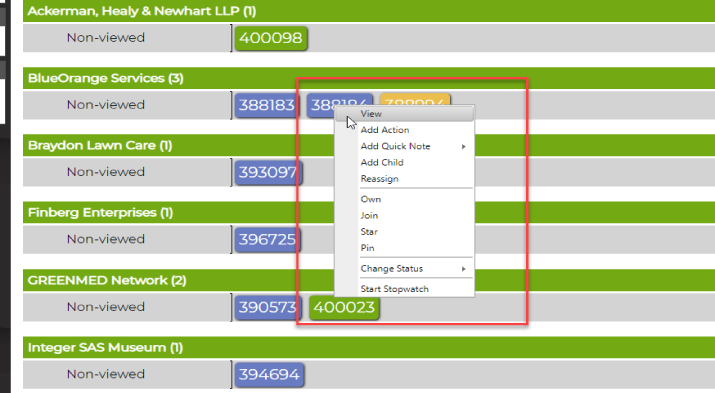
By right clicking on the ticket, it will allow you to make changes to the ticket with various options; such as Changing the status, joining the ticket, reassigning the ticket, etc.
August 2020 Update
Live Tickets View
August 2020 Update
Chat 2.0
August 2020 Update
Chat 2.0
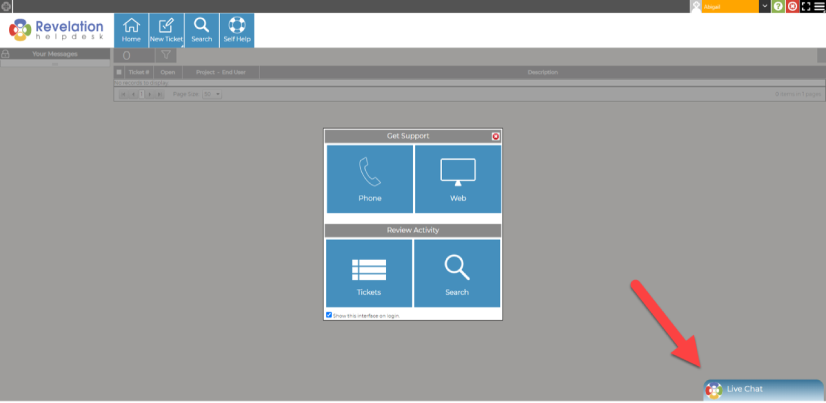
Revelation's Chat feature has been rebuilt from the ground up and allows you to easily communicate with your end users through Chat.
August 2020 Update
Chat 2.0
August 2020 Update
Chat 2.0
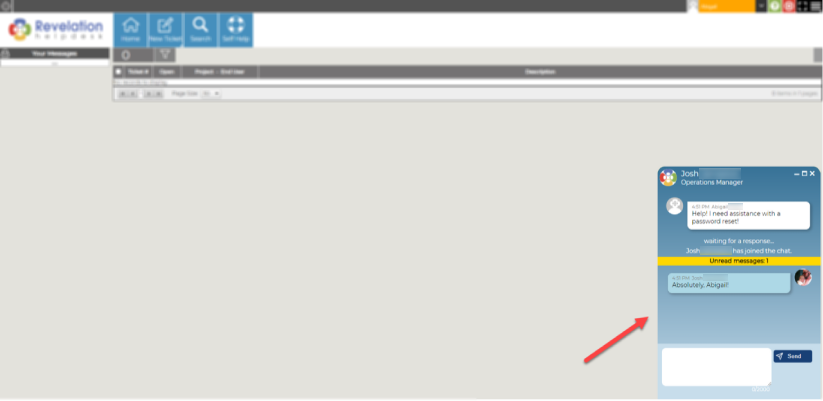
End users can chat with available support staff in real-time from the self service interface.
August 2020 Update
Chat 2.0
August 2020 Update
Chat 2.0
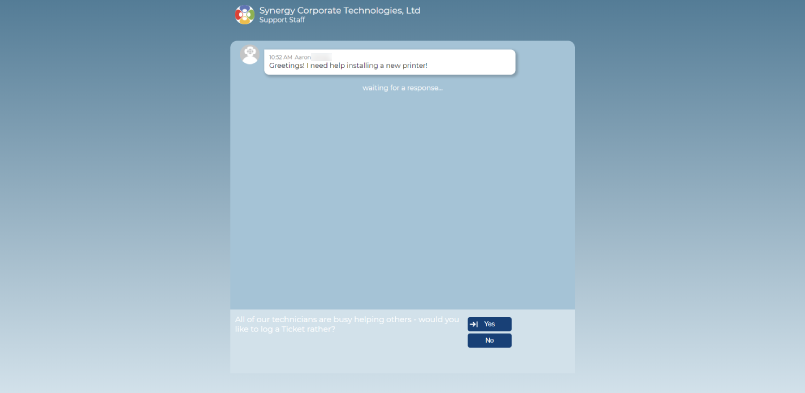
...or use Chat exclusively on its own. (Separate to self service)
August 2020 Update
Chat 2.0
August 2020 Update
Chat 2.0
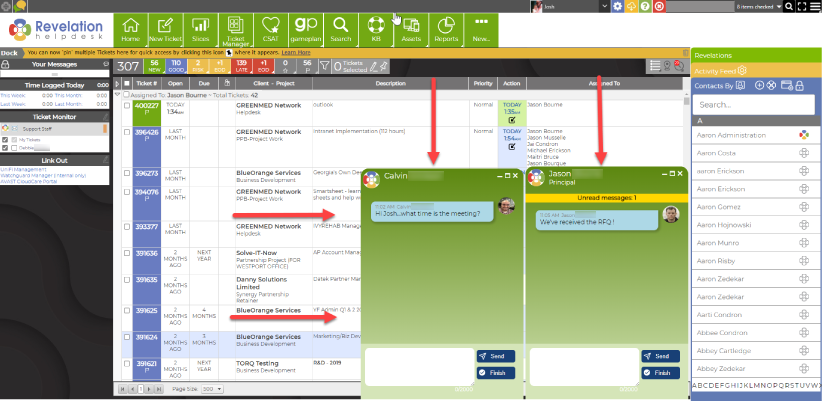
Internal Support Staff can interact with up to five chat sessions from their Revelation homepage and when a chat completes you can convert the chat session into a ticket.
August 2020 Update
Chat 2.0
Stay tuned for more updates coming your way.
You can read more about these great
new features in our help guide